The photo booth
that connects
the whole party.
Photos, GIFs, boomerangs and 360 video that land on the guest’s phone, the venue TV and the printer in the same second. No internet, no cables across the room.
From smile to photo in hand, in seconds.
Tap the screen
The guest taps the booth screen and picks: photo, GIF, boomerang or 360 video.
3, 2, 1, smile!
The countdown starts, the photo is taken and drops straight into the event’s frame.
The photo lands on their phone
They scan the QR code and save it. No app, no account, no internet.
And printed on the spot
With printing on, the photo comes out right away. You choose the number of copies from your phone.
One program, every effect.
The classic photo, with a custom frame and text, ready to print in seconds.
The whole booth, in your pocket.
No more running to the computer. From your phone you see what the booth is doing, adjust the camera on the live view, pick the photo to print and you’re the first to know when the printer runs out of paper.
Templates, animations and colours, made by you in minutes.
Template editor
Drag the photos, texts and logo wherever you want, choose colours and fonts. You can also leave room for the guest’s handwritten message, which appears on the photo and in the guest book. Start from ready-made designs for weddings or christenings.
Booth preview, by theme
This is the booth screen, recorded straight from the program: start, countdown, photo, printing. Pick the theme to suit the party, with matching sounds, and your logo everywhere.
It’s not just a booth. It’s a whole network in the room.
The booth creates its own Wi-Fi. The TV, the tablet, a second booth and the guests’ phones connect straight to it, so everything works even where the venue has no internet.
Two booths, one screen
The slideshow mixes photos from both, each with its own QR code. You link them with a 6-digit code.
The tablet is the booth screen
The computer stays hidden aside, while guests use a tablet connected over Wi-Fi.
The phone, your backup camera
If the camera stops, photos automatically come from the phone on the stand.
Remote access
Check the booth from home too, through a private, secure link we enable on request.

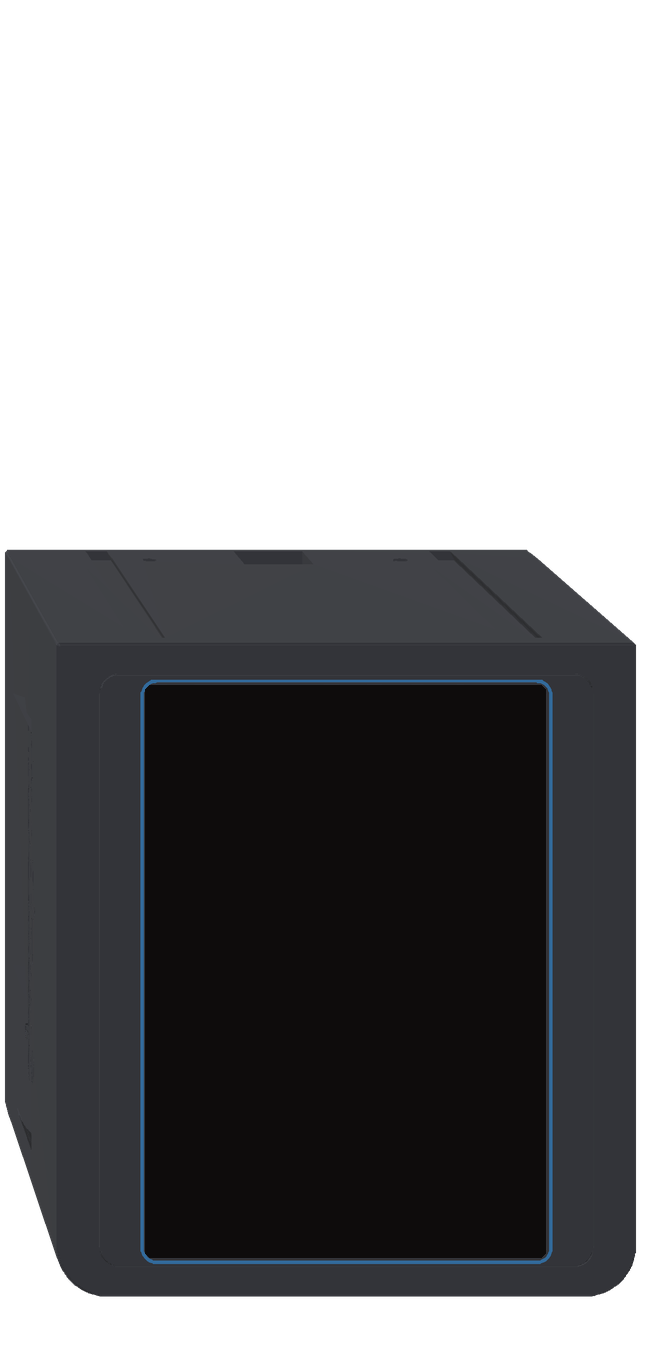
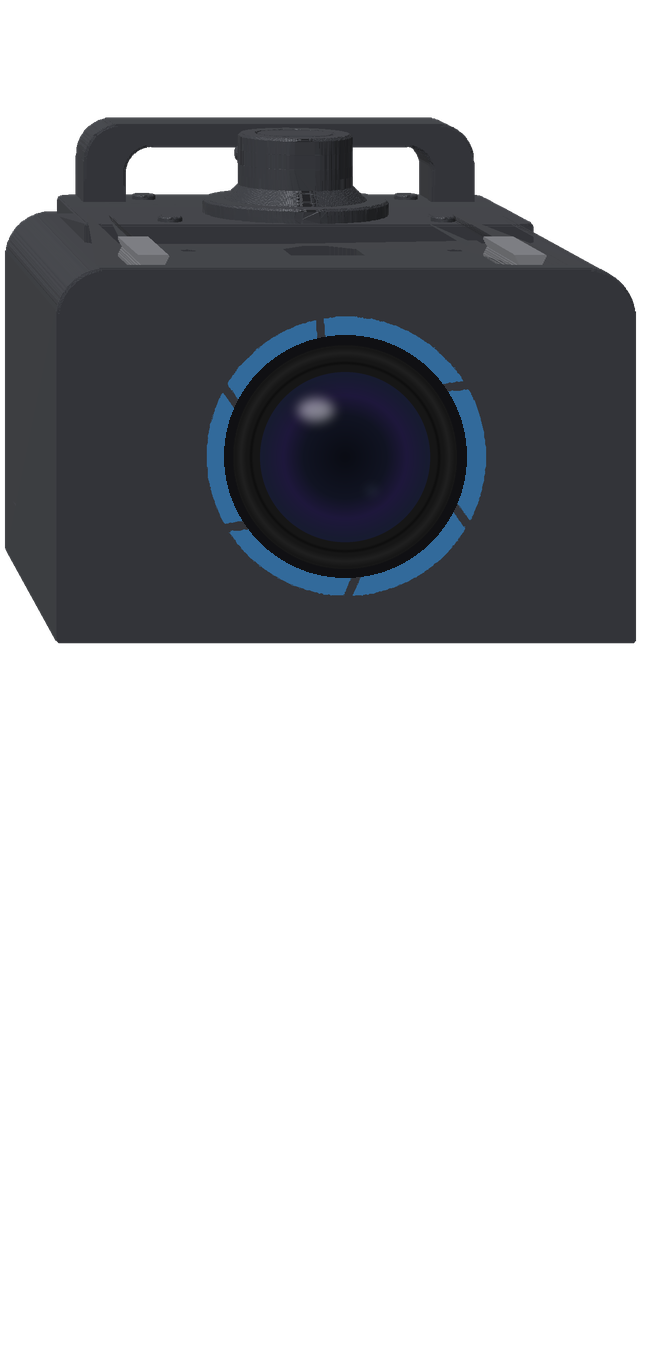

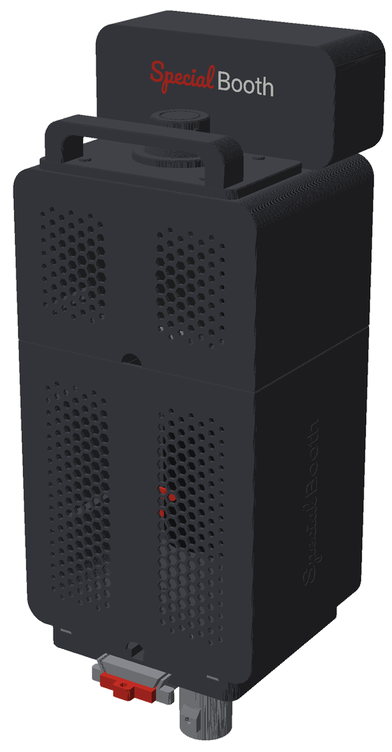
A modular, 3D-printed booth, designed together with the software.
Four 3D-printed modules that slide together and lock with pins, with no screws between them. The program itself runs on its screen. It goes on a tripod or a speaker stand and you carry it by the handle, with all the gear inside.
Want to be the first to know when it’s ready? Tick the box in the beta form.
Made by people who actually work events.
Light when it’s dark
The camera phone’s torch turns on by itself during the countdown, only when needed.
A break for props
Between shots, guests tap “Pause”, swap their hats and carry on when they’re ready.
Photos for the couple, no USB stick
All the night’s photos in an archive with a QR code, plus a PDF album ready to send.
Events and calendar
Today, upcoming and past, each with its own settings. Import them straight from your calendar.
Save with AirDrop
On their page, guests save the photo to their gallery or share it from their phone.
Guest book
Guests leave a message next to their photo, and at the end it’s all neatly collected.
Keep an eye on the computer
The booth’s CPU, memory, disk and battery, monitored from the panel.
Worry-free printing
A main printer, a backup one or two taking turns, with a visible print queue.
Guests’ data
You choose how long photos and clips are kept, so you stay GDPR-compliant.
For anyone who makes people smile at parties.
Photo booth companies
Who want more than “photo and print” and want to sell better packages.
Photographers
Who add a booth to their wedding package, using the camera they already own.
DJs and bands
Who want a lively screen in the room and an extra service for their clients.
Venues and agencies
Who host events often and want their own booth, with their brand on every photo.
3 months free. Limited spots.
You get the full licence for your computer, hands-on help with installation and a say in what we build next.
Thank you! You’re on the list.
We’ll write to you within a few days with the installation steps. Please check your spam folder too.
What people ask us.
Do I need internet at the venue?
No. The booth creates its own Wi-Fi network, and the guests’ phones, the TV and the share station connect straight to it.
How far does the booth network reach?
As far as its Wi-Fi reaches: usually the room the booth is in. Screens and a second booth go in the same room; for very large venues, a small router next to the booth extends the signal.
Which camera can I use?
A camera connected over USB, a webcam or a phone used as the camera. Tell us your model in the form and we’ll confirm it works.
What computer does it run on?
On a Windows computer, even a mini PC or a laptop. We’ll send you the exact requirements with your licence.
Can I connect two booths to the same TV?
Yes. Get a 6-digit code on the second booth, enter it on the first, and the slideshow shows photos from both.
Where do the guests’ photos stay?
On the booth’s computer. You decide how long to keep them and who gets them.
Can I use the software with the booth I already have?
Yes. Special Booth is software: it runs on the computer in your booth, with the camera, screen and printer you already have. Our modular cabinet is just an extra option for anyone who wants a new one.
What happens after the 3-month beta?
We’ll tell you the licence price well in advance, and beta participants get a preferential offer. Nothing is charged automatically.